QR table ordering

Let guests order at the table. Keep service in control.

A QR code opens your own menu on the guest's phone. They can order another round, call for help or ask for the bill while your team sees it all in Qavyo.

Included with Qavyo. No add-on, no guest app, no guest account.
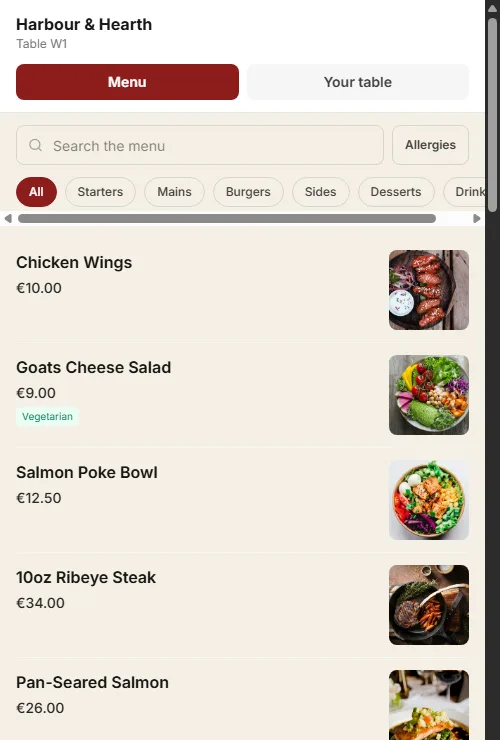
A guest ordering from the Harbour and Hearth table QR menu, with menu search, categories and dish photos.
The guest journey

A faster table experience, without sending guests to another app.

The QR goes straight to the restaurant's own branded menu. Guests can browse, search, check allergens and send an order from the table.

  1. 01Scan the table codeThe guest opens your restaurant menu in their browser. No app or account is needed.
  2. 02Choose and send a roundGuests search the menu, see dish details, add notes and send only the items they are ready for.
  3. 03Kitchen receives the new itemsEach round joins the same table bill while new items route to the right kitchen station.
  4. 04Pay the way your service runsGuests can ask for the bill, pay at the counter, or pay online when table payment is enabled.
Built for the team too

Guests get the convenience. Your team keeps the control.

See the restaurant platform ›

One bill, even across rounds

Guests can keep ordering during the meal without making a new order every time.

Staff stay in control

A table session can require the first guest order to be confirmed before it reaches service.

No missed kitchen work

New items go through the same station routing and ticket printing as orders from the till.

A live table view

Staff see table activity, calls for a waiter and bill requests on the floor and POS views.
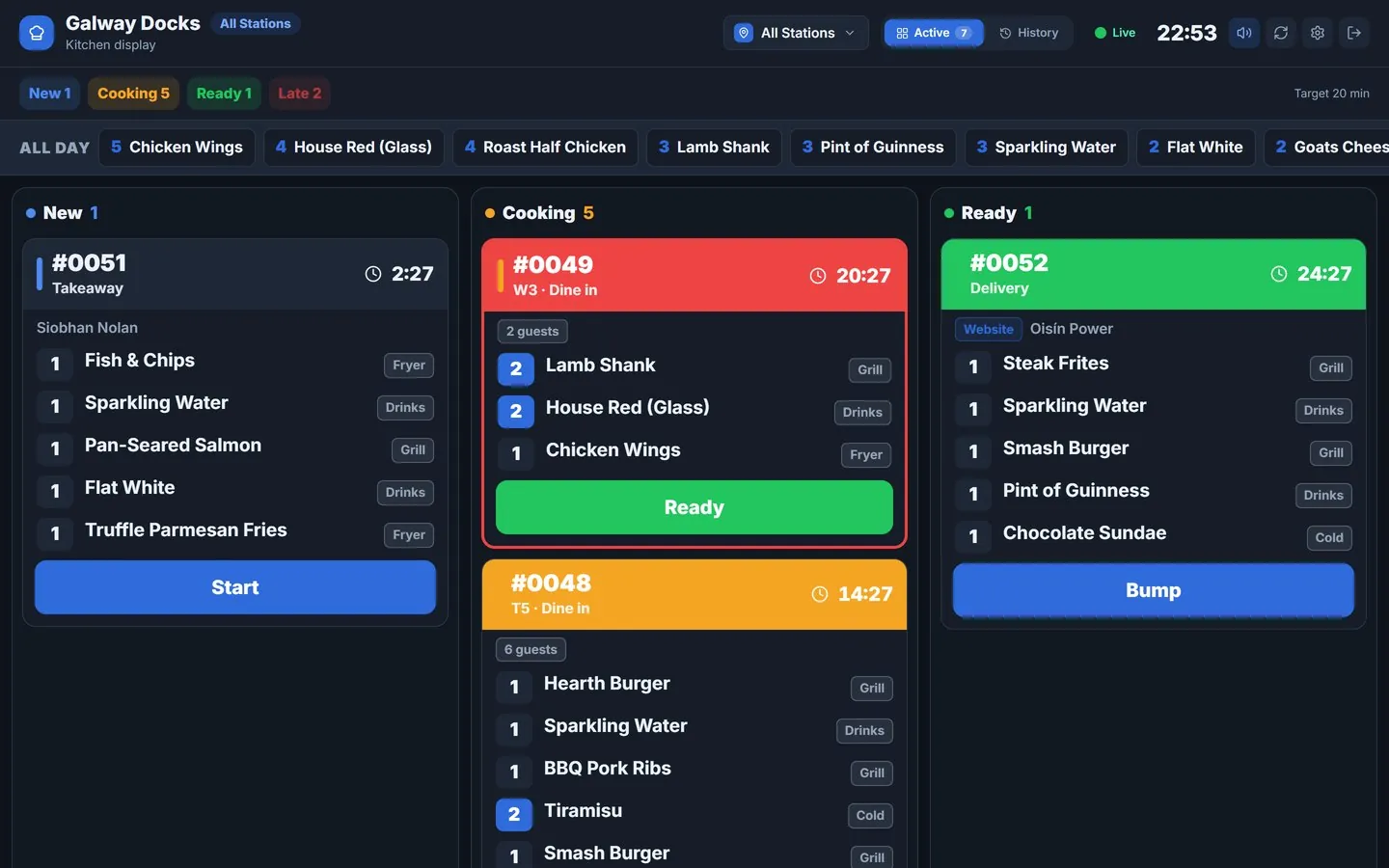
Qavyo kitchen display with restaurant orders in new, cooking and ready states.
The kitchen does not change

QR orders follow the same kitchen rules as till orders.

  • Only new items are sent when guests add another round to an open table bill.
  • Stations receive their own work on the kitchen display or assigned ticket printer.
  • The floor stays informed because the table order, kitchen progress and final bill remain connected.
Payment that fits the service

Pay at the counter by default. Offer table payment when it suits your restaurant.

  • Ask for the bill lets a guest notify the floor team without leaving the table.
  • Split a shared bill by the whole remainder, equal shares or each guest's own items.
  • Use pay-first mode for cafes and fast food, so each guest round is paid before it reaches the kitchen.

Online table payments use Stripe when the restaurant enables its own connected account.
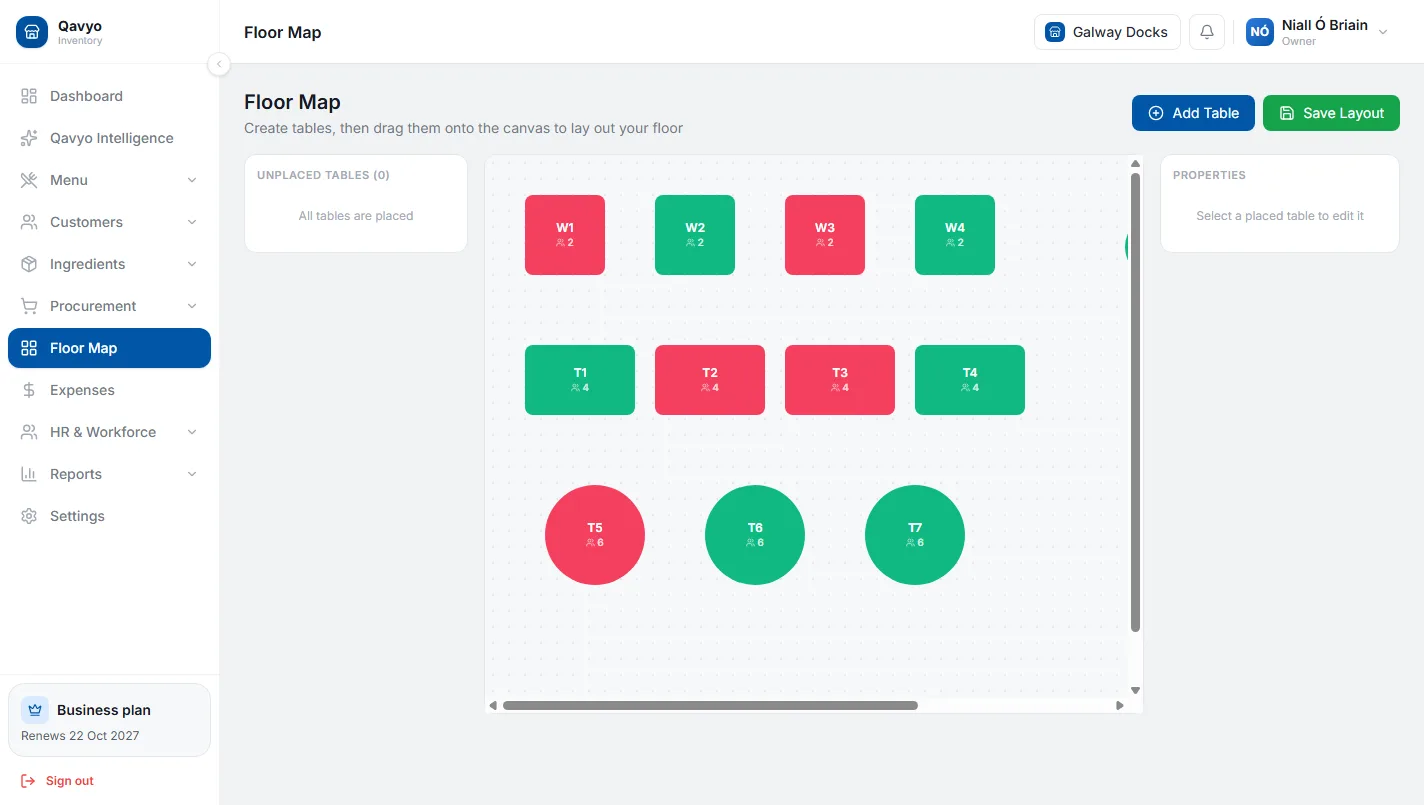
Qavyo floor map showing restaurant tables and their current service status.
Questions

QR ordering questions.

Tell us how your tables work and we will set up the codes and menu with you.

Talk to us ›
Do guests need to download an app?

No. The QR code opens your menu in the phone’s browser. No app and no account.

Can my team check orders before they reach the kitchen?

Yes. You choose whether the first order from a table waits for a staff member to confirm it, or goes straight through.

How do guests pay?

At the counter as usual, or on their phone through your own Stripe account if you switch table payment on. Guests can split the bill by their own items, equal shares or the whole remainder.

Does QR ordering cost extra?

No. It comes with Qavyo; there is no QR add-on. If you switch on pay at the table, card payments go through your own Stripe account at Stripe’s usual fees.

No QR add-on. Just a better table experience.

We help set up the table codes, menu and kitchen routing before your guests start scanning.

Every business starts with 30 days of Full Qavyo, including Growth and Business features.