A calmer kitchen starts with a clearer queue.
Every item goes to the right station, every ticket shows how long it has waited, and the screens keep working when the internet doesn’t.
Included with Qavyo. On an Android tablet or in any browser.
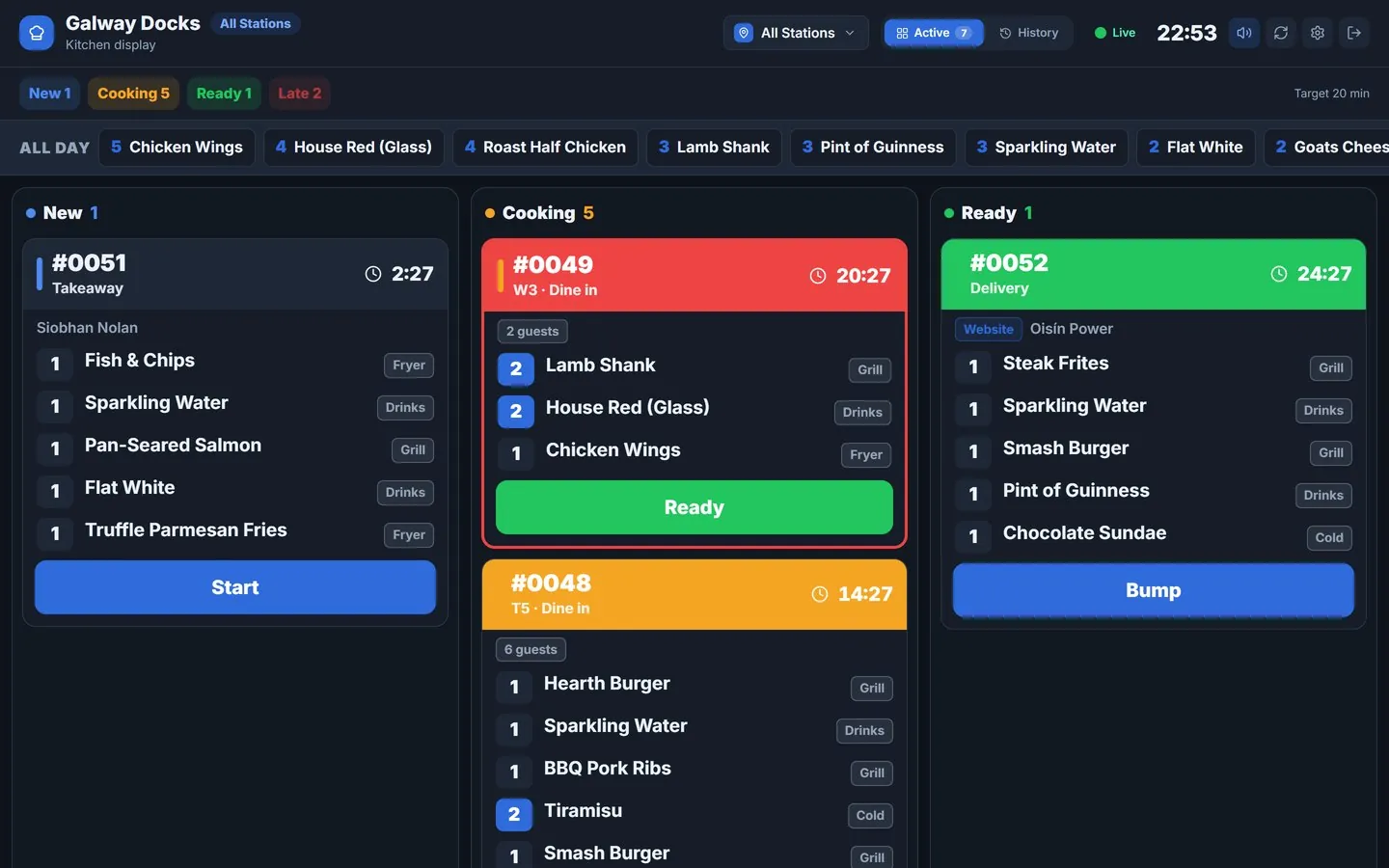
Every order stays readable, even at the busiest point of service.
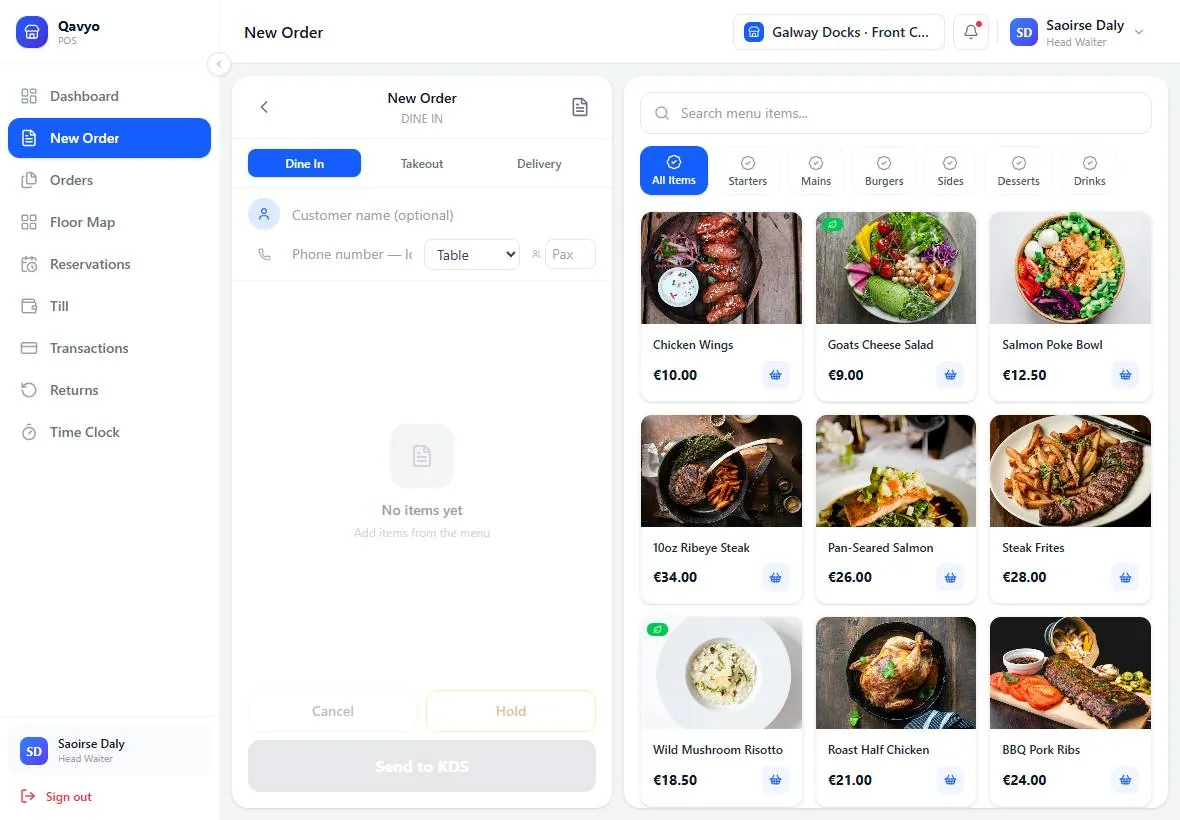
- 01Order is takenAt the till, by QR at the table or online. One order, one ticket.
- 02Items go by stationGrill, fryer, drinks and packing each get only their own items.
- 03Kitchen marks progressTickets move from new to cooking to ready as the work happens.
- 04Servers see the statusThe order’s status shows on the POS, so nobody has to shout to the pass.
Set up the kitchen the way you already work.
Station by station
Each screen shows only the tickets that belong to it, and marks only its own part ready.
Timers that warn you
Tickets turn amber, then red, as they wait. An all-day count shows what is still to make.
Screens or printers
Use a kitchen screen, a ticket printer, or both. Stations can share a printer.
Works offline
When the internet drops, kitchen screens keep getting orders from the till over the shop Wi-Fi.
New rounds only
When a table orders again by QR, only the new items go to the kitchen.
Kitchen performance
Cook times by station and dish, so the slow spots show up.
The internet drops. The kitchen keeps cooking.
- The Android till is the kitchen’s link, so screens on the shop Wi-Fi keep getting new orders.
- Ticket printers keep printing, straight from the till.
- Taps sync when it is back. Each order and each tap is counted once.
Kitchen questions.
Tell us how your kitchen is laid out and we will help you set up the stations.
Talk to us ›What do I need to run the kitchen display?
An Android tablet with the Qavyo KDS app, or any screen with a browser. Pair it once with a code from the back office.
What happens when the internet goes down?
The Android till becomes the kitchen’s link: kitchen screens on the same Wi-Fi keep getting new orders from it, and ticket printers keep printing. Everything syncs when the internet is back.
Can I use printers instead of screens?
Yes. Each station can have a screen, a ticket printer, or both. Network and Bluetooth printers are supported.
Does the kitchen display cost extra?
No. The kitchen display, station routing and printing come with Qavyo. Only the kitchen performance reports need the Growth or Business plan.
Give your kitchen a queue everyone can trust.
We help you set up stations, screens and printers before your first live service.
Every business starts with 30 days of Full Qavyo, including Growth and Business features.